Weight Loss
[enlarge]
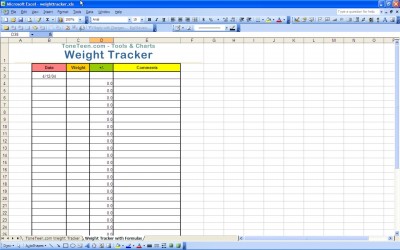
This Excel template for tracking weight loss has a simple input which allows you to see progress over time. Studies have shown that the more a dieter tracks progress, including tracking weight changes, calorie intake, and exercise, the better the weight loss is likely to be. This weight loss journal template includes date, weight, change since last measurement, and comments.
Using Comments on the Weight Loss Journal
The comments section is helpful for noting why weight is up or down on a particular day, or changes made to diet at that date. Using the comments section, you can see whether lifestyle changes resulted in a steady weight loss over time.
For example, if you decide to cut something out of a diet, such as carbohydrates, the comments section of the weight loss Excel sheet will document how well that worked and for how long. Another example: when starting a new exercise regime it is common for weight loss to stall for a week. Adding a note about changes to exercise routine is useful for deciding whether the new routine is working, and for reminding yourself of expected jumps and dips in the numbers.
Graphing Weight Loss in Excel
The simple setup of the weight loss journal makes it easy to graph weight loss over time. In most versions of Microsoft Excel, the graph feature is very easy to use. You simply create a graph, and set weight as the Y-axis and date as the X-axis.
The Microsoft Excel programs can recognize that dates are being used, and will give graphs with X-axis displaying months or years. It is also possible to graph the change values over time. This will let the user see when weight sped up or slowed down, and match to comments about lifestyle changes at those times.
(more…)
[enlarge]
Losing weight is all about motivation, and a great way to stay motivated is to regularly weigh yourself and take your body measurements. It is very important to take body measurements in addition to weighing yourself because typical bathroom scales only show you how much you weigh; they don’t tell you what your fat to muscle ratio or BMI is. Tracking your progress is a great way to stay motivated because it can help you see how far you’ve come and help you stay on track.
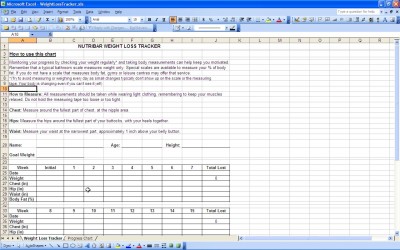
However, for some people, keeping track of their weight can be a troublesome task because they don’t have the organization skills to be able to record their weight over a certain period of time. If you are one of those people, you will certainly benefit from using Nutribar Weigh Loss Tracker, a special downloadable excel template that allows users to jot down the fluctuations in their weigh.
Features of Nutribar Weight Loss Tracker
This template is a great aide in your overall weight loss. The reason why is because it can help users stay organized when tracking their weight loss or gain. This template allows users to enter down vital information each week such as their weight, measurements and muscle to fat ratio.
The Nutribar templates are very similar to the charts that medical professionals use to keep track of the height and weight of their patients; therefore, making it a very effective way to stay organized. In addition, this template is totally free to download on computers that use Windows Vista, Windows XP and 7. This template is in the form of a calendar, so you can choose to track your weight on a weekly or daily basis, and it even helps you organize what you have eaten that day.
(more…)
[enlarge]
There is no denying that one of the reasons why we lose weight is to brag about how much we have lost. The best way to do this is to track exactly how many pounds you have lost since the beginning of your diet and exercise regime. The easiest way to do this is by using a weight loss tracker.
What Is A Weight Loss Tracker?
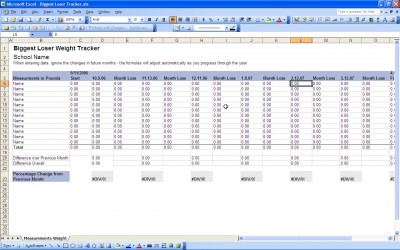
It really is exactly how its name sounds. This is something that individuals use as part of their excel program in order to visually see how many pounds they have lost over a certain period of time. It is great at what it does because it displays the information that the person on the diet wants to see.
They can look at their weight loss tracker each day for motivation as they watch themselves add more and more pounds to the lost list. Before they know it, the amount that they wanted to lose in the first place will be gone.
Why Is It Necessary?
It is quite clearly the case that this tool is needed to help people lose weight because it provides them with something that they probably could not otherwise have. That is to say that it provides them with the motivation that so many point to as something that they need. Therefore, you will find that you want to get the tracker installed on your computer before you ever even begin your weight loss routine.
By having it already on there and ready to go, you are saving yourself a lot of trouble of having to do all of this work in the future. It will simply be ready to go for you from day one, and that is an incredible feeling when you first start out knowing that it will be there.
(more…)