Invoice
An old adage suggests that all cash flow starts with an invoice. However, creating an invoice sheet to get the ball rolling can be a painstaking and rather monotonous process. That process will be completely wiped out thanks to the all-in-one Excel invoice template.
The invoice template available on this page is one of the most basic you will ever be able to find. However, it is also the easiest to use and will prove to be as effective as any other invoicing method available. There’s another pair of perks associated with using this template that business owners will adore: the template can be instantly downloaded for free.
Filling Out the Excel Invoice Template
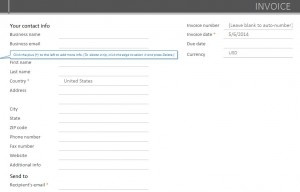
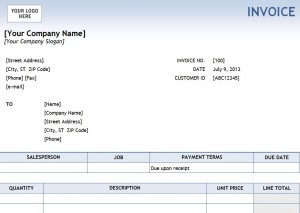
The first step in filling out the invoice template will be to type in all the basic information required on the sheet. You can place the name of your company in the first cell. You can also delete the text “Invoice” and add your company logo in the color bar if you so desire. The basic information includes the address and phone number of your company.
Next, you will input the name and address of the person or place that ordered in the “Sold To” section. If the person or place that ordered the goods is having them shipped to a different address, you will add it to the “Shipped To” section. If the address is the same, you won’t need to add anything. The next section is dedicated for company information, such as the invoice number, invoice date, order number and shipping method.
The following step is to enter the sales tax rate in your area. Tax rates vary by region so it’s important to carefully review the information. Another benefit of the template is that it will automatically calculate the sales tax to be charged in dollars once the percentage has been added.
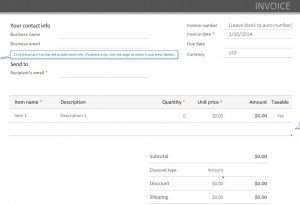
Once the tax has been added, it’s time to move on to the body of the invoice. Here is where you will place the quantity ordered, a brief description of the item(s), the unit price and amount. This process will be repeated until the order is complete. Once done, the subtotal and tax will be added to reveal the total in the “Pay This Amount” section.
The bottom of the template is reserved for placing information regarding further direct inquiries, as well as information for those who will be paying via check. With this Excel invoice template, you will spend more time filling orders and making money and far less time creating tedious invoice sheets.
Download: Excel Invoice Template
How is one supposed to keep the cash flow coming in while also enduring the grueling process of creating and filling out invoice sheets? The days of wasting valuable time during the invoice-creation process will be long gone thanks to the commercial invoice template.
While the invoice template employs basic functions and methods, they will surely be just as, if not more effective as any sheet or method you may have used in the past.
Just part of the many benefits that come with the template is that it’s instantly downloadable and completely complimentary.
Making Sheets with the Commercial Invoice Template
Once the template has been successfully downloaded, the first step will be to input the basic information normally associated with an invoice. This information includes:
- Company Name
- Company Address
- Company Phone Number
- Invoice Number
- Invoice Date
- Order Numbers
- Sales Rep.
- Shipping Method
- Payment Method
- Sold To Name and Address
- Shipped To Address
There is also a spot at the top of the worksheet reserved for the sales tax rate. Inputting the correct tax rate is very important for two reasons: Tax rates can vary greatly by geography and the template also acts as a calculator. The sales tax will be calculated and automatically added to the final total, so it’s of the utmost importance to input the proper percentage.
The body of the invoice has four columns: Quantity, Description, Unit Price, and Amount. The quantity will show the number of products ordered, the description will show a synopsis for the product, the unit price will detail how much each product costs and the amount will reveal how much all of the goods will cost together.
The sales tax will be added to the subtotal and be displayed in the “Pay This Amount” area. This is the final amount, all charges included, the customer will be expected to pay. The bottom of the worksheet has an area reserved for customer inquiries. Here, you will place the contact information for the person who will handle customer service issues. The final spot is reserved for information for those who will be paying with a check.
The final section, along with any of the other sections and areas, can easily be deleted, removed, altered or customized based on your needs.
Download: Commercial Invoice Template
Keeping track of the goods and products being shipped out by your business or company is critically important. Failure to properly log your shipping transactions could lead to major problems down the road. A proforma invoice template will make the process of filling out the necessary shipping paperwork fast and easy. The invoice template is instantly downloadable, totally customizable and completely complimentary.
Using the Proforma Invoice Template
The top of the invoice template is reserved for the date, the number of the invoice and for the logo and slogan of your company or business. The next section is perhaps the most important because this is where you place the information for both the shipper and the receiver. In both columns, you will input:
- Name
- Company Name
- Contact Person
- Street Adress
- City, State, Zip Code
- Phone Number
- Fax Number
- Email Address
Below this section is a box where you will provide a brief description of why you are exporting goods. Next, you will describe the mode of transportation, the total number of packages that are being shipped, as well as the total gross weight of the packages.
Once all this information has been added to the template, it’s time to move on to the invoice portion. Here, you will place the identification number of the package, a brief description of the package, the amount or quantity of items, the unit price and the total. This process will be repeated for all the packages that are being shipped.
Perhaps the best feature of the invoice template is that it also serves as a functioning calculator. Once the proper numbers have been input, the template will automatically calculate a bill for the receiver. If there is an applicable tax rate in your area, simply add the percentage below the subtotal and the sales tax will be calculated and added to the order. You will also need to input the shipping and handling charges.
Finally, there is an area reserved for your signature and the date in which the order has been completed. Since the template is customizable, you have the ability to add and remove information as required by your company.
Download: Proforma Invoice
Invoice sheets are a mandatory component of the shipping and receiving process. Depending on the size of your company and the amount of products and goods leaving your facility, keeping track of the number of invoices can be an absolute nightmare. For those looking for an easier way to track invoices while also hoping to save money, a free invoice template could be exactly what you have in mind.
Not only is the invoice template free, it is also 100% customizable and can be downloaded instantly.
Using the Free Invoice Template
The template is designed to make inputting, recording, reading and displaying the information as easy as possible. The invoice template free edition is broken down into nine categories:
- Invoice Number
- Date
- Payment Due Date
- Customer/Company Name
- Amount Due
- Late Amount Due
- Total Paid
- Date Paid
- Outstanding Balance
Filling out this template is a quick and painless process. You will begin by inputting the number of the invoice beginning with the first one on your list. Next, you will fill in the date the invoice was process, followed by the date the payment is due. Then you will need to input the name of the customer or the company that received the goods and the amount the products cost.
The next column is designated to denote if there is a late fee associated with the transaction. Next, you will mark down the total amount the customer/company has paid and the date they paid it. The final column is reserved for the outstanding balance if there is one.
Unquestionably one of the highlights of this template is that it also serves as a calculator. The template will do all the math for you and the text will appear red if there is an outstanding balance. This makes is easy to see who is still on the hook for payment and who is not.
In addition, the invoice template free edition is designed so that you can sort out the information any way you wish. For example, you can sort the columns by highest-to-lowest, lowest-to-highest, alphabetically or by monies paid or owed.
Download: Free Invoice Template
In the course of a business day, many go in the maintenance office of a large office building. There is always work that needs to be done, and new work is always being requested. This is why a smart department head in a maintenance department should use a free work order form Excel template.
Using the Work Order Form
By using this template, a person will be able to track the work that has been done in a building. The template can also help identify areas that need the most work. Essentially, it will help make overseeing a maintenance department an easier job to handle.
Download: order-form