Calendar
Stress tends to be one of the more immovable emotions we humans must face.
From late working hours and a lack of sleep, to expanding waistlines and dense rush-hour traffic, it can be easy for Americans to feel somewhat overwhelmed throughout the day. And according to a recent study by the American Psychological Association, the nationwide average stress level was roughly at 5.2 on a 10-point scale, with some 40 percent admitting their stress has skyrocketed within the past year.
So what are the biggest reasons we Americans are furrowing our brow with anxiety? Not surprisingly, money and work headaches reigned supreme in stress. And with twenty different obligations tugging at our limbs at all hours of the day, you might say there’s a definite need for planning and forecasting throughout our week.
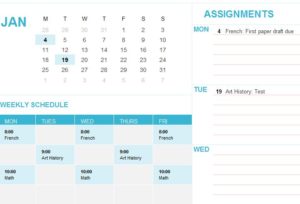
And with the Daily Appointment Calendar Template from ExcelTemplates.net, individuals can effectively manage and map their daily tasks, all from a single – and stress-free – document.
Using the Daily Appointment Calendar Template to Effectively Manage Your Tasks
With the Daily Appointment Calendar Template, individuals can effectively:
- Manage, schedule and forecast their appointments throughout the day.
- Assign phone numbers, notes and locations for individual tasks. This will aid in remembering specific – and important – appointments.
- Project new appointments for upcoming days and weeks, allowing you to effectively manage your future tasks.
Tips for Organizing an A+ Appointment Calendar
- The more you include in your daily appointment planner, the less your stress level will be. One of the biggest mistakes an individual can make when planning their tasks is to omit smaller appointments, like driving and errands. Always be sure to include specific details in your Daily Appointment Calendar Template.
- Prepare your daily tasks the night before. Although you might have to continually update and alter your tasks throughout the day, wake up with a list of specific goals in mind before you start pounding the pavement.
- Breathe. While you can fill your appointment calendar to the brim, you may not always be able to achieve all of your daily goals. Consider prioritizing your appointments if this becomes an issue.
Download: Daily Appointment Calendar Template
Attempting to conceive a child can be one of the more wonderful experiences during the course of a person’s existence. Unfortunately, this process can also be extremely stressful for both parties involved. A fertility calendar can help alleviate some of the unnecessary stress while also maintaining the magic that is the special part of the process.
Reading and Using the Fertility Calendar
The ovulation calendar featured on this site is exceptionally easy to use. You will begin by clicking on the “Data” tab in the Excel workbook. Here is where you will input the “Ovulation Date” You will begin by typing in the start date of your last menstrual cycle.
Next, you will input how long your menstrual cycle lasts in days, followed by the luteal phase period in days. You will then choose the month you wish to display on the ovulation calendar and the display year. Once you have filled out the information for all five categories, it’s time to click on the “Calendar” tab at located at the bottom of the Excel workbook.
If you have properly input the information in the data tab, the calendar will now reveal an easy-to-read color-coded system. The start date of your next menstrual cycle will now be filled in on the calendar. The box will be red and noted with “Beginning” underneath the date. Later in the month, a box will also be changed to note the date you can expect to be most fertile. The box will appear pink and display “Most Fertile” underneath the date.
Beneath the calendar displaying the present month is two smaller calendars showing the previous month and the month ahead. Both months will also display the beginning of the menstruation period as well as the date you will be most fertile.
By clicking the arrow tab located in the top right hand corner of the workbook, you can cycle through the months past or the months ahead. By putting the information in the data tab at the start, you can go as far back or as far ahead as you may need to track your fertility.
Download: Fertility Calendar
For some students and working professionals, becoming and staying organized is seemingly nothing short of an exercise in futility. Finding a quick and easy tool to efficiently organize your tasks and activities can be difficult. However, the daily calendar template is the perfect solution for those who are looking to get more organized. It’s also ideal for those wanting to save time and money, because the daily calendar can be downloaded with one click and is absolutely free.
Filling Out and Using the Daily Calendar Template
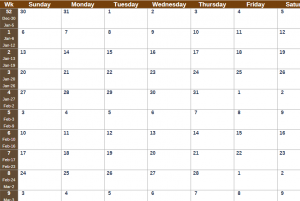
Once the daily calendar workbook is opened you will immediately notice there are tabs for each month located at the bottom. Simply clicking on the month you need will open the tab and display the dates you want. Depending on your preference, important notes can either be typed in or written by hand. The calendar sheets are printable, so you are free to choose whichever option is easiest.
One of the best features of the daily calendar is that all the national and religious holidays, as well as all the important and notable dates throughout the year are already marked and preloaded for extra convenience. Take March for example, it’s noted on the calendar that Daylight Saving time will begin on the 10th, St. Patrick’s Day will be on the 17th, Passover starts on the 26th and Easter Sunday is the 31st. While there is text noting the significance of the day, there is still plenty of space to type or write important personal notes.
The daily calendar is also completely customizable. Some of the things you can do include:
- Changing the scheme to match your personal style
- Using a color-coded system to block out or mark important days or weeks
- Add personal photos or other images
- Add or remove sections of the calendar
These are just a few of the ways you can get the most out of the calendar. Because it’s an Excel template, the customization options are nearly limitless. No matter your organizational desires, this calendar template should fit the bill.
Download: Daily Calendar Template
A specially designed Hebrew calendar makes planning for holy holidays easier than ever. The high holidays and major pilgrimage festivals for the next four years are displayed on the calendar. Since it’s an Excel template, the calendar can be customized to add things list public fasts, minor holidays or major holidays. This calendar is instantly downloadable and completely complimentary.
About the Hebrew Calendar
Commandments, rabbinical mandate and modern Israeli history are the foundation of Jewish festivals and holidays. The beginning of the Jewish New Year is known as “Rosh Hashanah.” The start date, which is also known as the Day of Judgment and the Day of Memorial, marks the beginning of a 10-day period before the holiest day of the year for Jews – “Yom Kippur.”
Both Rosh Hashanah and Yom Kippur are displayed on the Jewish calendar featured on this site. Other Jewish holidays on the calendar include:
- Sukkot – The Feast of Tabernacles
- Shmini Atzeret – The Eighth Day of Assembly
- Simchat Torah – Day of Celebrating the Torah
- Chanukah – The Festival of Lights/Jewish festival of rededication
- Purim – The Festival of Lots
- Pesach (Passover) – The Feast of Unleavened Bread
- Shavuot – Festival of Weeks to commemorate the giving of the Torah at Mount Sinai
- Tish’a B’Av – The Ninth of Av, fast to commemorate the destruction of the two Temples.
Both Hebrew and Gregorian years are displayed on the printable calendar featured on this site. The calendar begins with the Hebrew year 5773 and the Gregorian year 2012 and runs through Hebrew year 5776 and Gregorian year 2016. Dates on the calendar marked in italics are “Yom Tov,” which means that performing traditional work duties is strictly forbidden.
In addition to the traditional and high holy holidays, the Chief Rabbinate of Israel established four modern holidays and days of remembrance. They are:
- Yom HaShoah – Holocaust Memorial Day
- Yom HaZikaron – Israeli Memorial Day
- Yom HaAtzma’ut – Israeli Independence Day
- Yom Yerushalayim – Jerusalem Day
All four of these days are either days of remembrance or national holidays in Israel.
Download: Hebrew Calendar
An earnings calendar is defined as the schedule according to which publicly-traded companies will announce the money they have earned over a certain period. These periods generally are either quarters or entire years. An earning calendar will organize these announcements by the company and the date the company plans to announce its earnings.
Some calendars may provide a listing of all the companies that are planning to reveal their earnings in alphabetical order on a certain date. Calendars may also indicate a time and a manner in which the announcement will be made. Investor convenience is the main purpose of the calendars.
Many times, earnings will be reported during what is known as an “Earnings Call.” During these calls, a company will hold a teleconference to discuss the earnings of a predetermined period. According to the National Investor Relations Institute, over 90% of companies that are represented by their members hold earnings calls at some point during the year. Transcripts of the calls are generally available, and nearly all calls today are broadcast online.
Filling out the Earnings Calendar Template
With the template featured on this site, you can create your own customized calendar with the stocks and investments you care about. The template is broken down into eight categories:
- Stock Name
- Sector
- Report Date
- Report Time
- EPS Estimate
- Change in Estimate
- Average Change on Report Day
- Average Absolute Change on Report Date
You will begin filling out the template by placing the abbreviation for the stock in the stock name column. Next, you will input what sector the stock is in. This could be health care, financials, materials, etc. The next step is to type in or write down the date the earnings will be reported and what time of day it will take place.
The financial information, such as average percentage change on report day and average absolute change on report day, will be entered after the earnings report has been released. This calendar can easily be printed off and used throughout the year. It can also be customized to reflect the information that is most important to you.
Download: Earnings Calendar